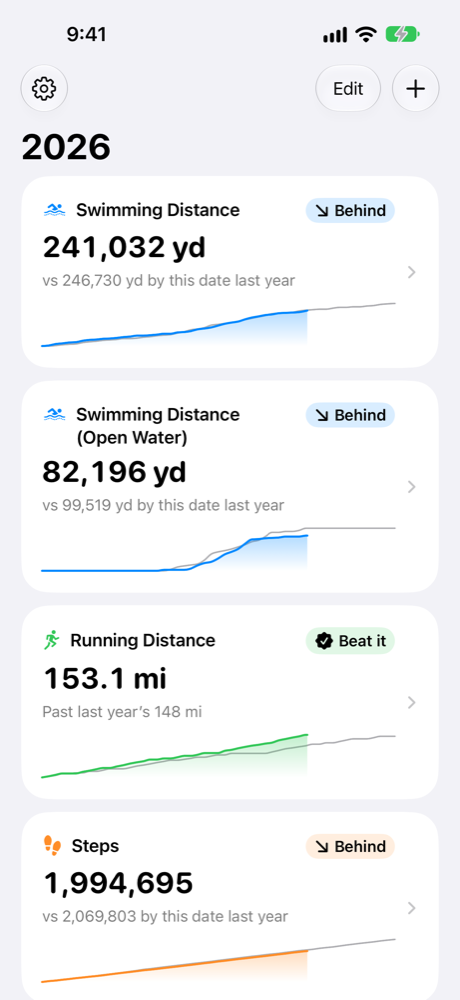
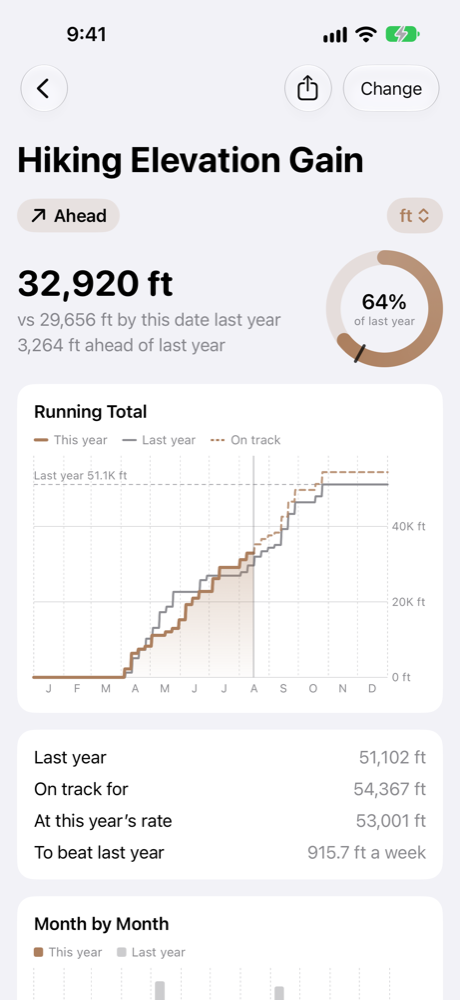
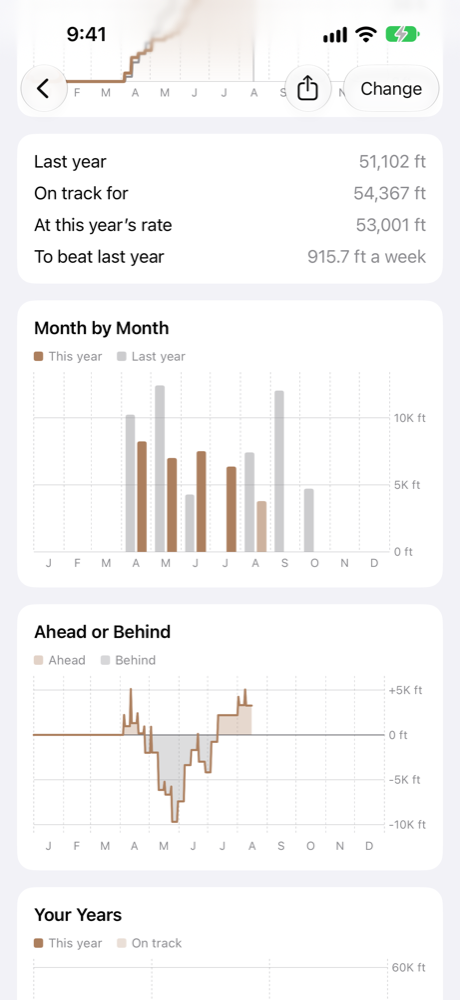
- Ahead or behindThis year's total against the same day last year.
- What it takesWhere you'll finish at this rate, and how much a week beats last year.
- 65 statisticsSwimming distance, hiking elevation, steps, running time and more.
- ChartsThe race, month by month, the lead and every year you have.
- Widgets and SiriHome Screen and Lock Screen widgets. Ask "How's my Big Year?"
- PrivateReads Apple Health and never writes to it. Nothing leaves your iPhone.
Pricing
Needs an iPhone with iOS 26 or later, and workouts in Apple Health from Apple Watch or another app.
Privacy policy
Last updated 26 October 2026
Big Year collects no data. Your health data stays on your iPhone, and the developer never sees it.
What the app reads
From Apple Health, with your permission:
- Workouts: activity, dates, duration, distance, elevation gain, active energy, pool or open water, lap length, and the app or device that recorded each one.
- Distance and active energy recorded during workouts.
- Steps, flights climbed and exercise minutes, as daily totals.
Big Year never writes to Apple Health or changes anything in it. To change what it can read, open Settings and tap Privacy & Security, then Health, then Big Year.
Where it is kept
- On your iPhone only. The totals, charts and widgets made from your workouts are kept in the app's own storage, protected by your passcode.
- Left out of iCloud and computer backups, since it can be read again from Apple Health.
- Never sent to a server or stored in iCloud. Big Year has no server.
Your settings, such as which statistics you follow and their units, are kept like any app's settings and are part of your iPhone's backup.
Siri, notifications and sharing
- Siri's answer to "How's my Big Year?" is made on your iPhone.
- The Beating Last Year notification is made on your iPhone. There are no push notifications.
- A shared image goes only where you send it. Save Image adds it to your photo library; Big Year can't see your photos.
Purchases
Handled by Apple. The app learns only whether More Statistics is unlocked, and never sees your payment details.
What is not collected
- No accounts.
- No analytics, ads, tracking or third-party code.
- No location, contacts or browsing data.
If you have chosen in iOS to share analytics with app developers, Apple may send the developer crash reports. They contain no health data.
Children
Big Year is not directed at children and does not knowingly collect their information.
Deleting your data
The developer holds nothing to delete. Deleting Big Year from your iPhone removes everything it kept. Your workouts stay in Apple Health.
Changes
Changes to this policy update the date above.
Support
No numbers, or last year is missing
Open Settings and tap Privacy & Security, then Health, then Big Year, and turn on every category. If iOS asks how much to share, choose All Recorded Data. Past 30 Days hides last year.
A total differs from the Fitness app
In Big Year's Settings, Workouts From lists every app and device that recorded workouts. Turn one off to leave its workouts out. A workout recorded by two apps counts once.
More Statistics is locked on a new iPhone
In Big Year's Settings, tap Restore Purchases.
Contact
Email fbroz@mac.com.